Messages
Photos, voice messages, round video notes, replies, reactions, edits and pins.
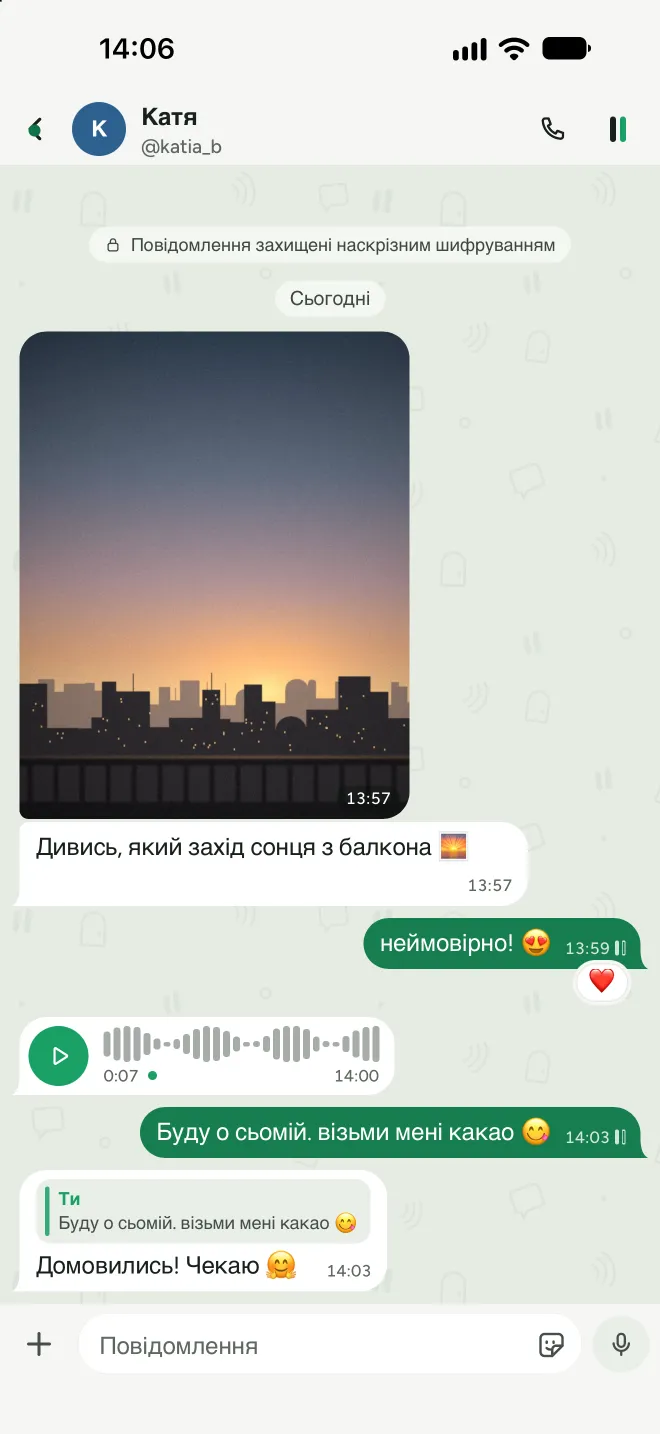
Everything in a conversation is end-to-end encrypted — not just the text.
What you can send
- Photos, videos and files — with the + button.
- Voice messages and video notes — with the button on the right of the message field. Hold it to record and release to send. Slide left to cancel, or slide up to keep recording hands-free. Tap it once to switch between a voice message and a round video note.
- Links — with a preview your phone creates as you write. The recipient's phone never contacts the site.
- Emoji and stickers — see Stickers.
Reply, react, edit and more
Touch and hold a message to react, reply, edit, pin, forward, copy or delete it.
- You can edit and delete only your own messages.
- Delete for everyone removes it from the other phones too; Delete for me only from yours. Anything already seen can't be taken back.
- Pinned messages stay in a bar at the top of the conversation.
Tap the name at the top of a conversation to open the person's profile or the group's info.
Sent, delivered, read
The marks next to a message's time show whether it was sent, delivered or read. Knock keeps unsent messages and sends them when you're back online. If a message says Not sent, tap it to try again.
Knock never sends a message unencrypted — if it can't encrypt, it tells you instead.
Pin, mute, archive and search
Touch and hold a chat in Chats to pin it to the top, mute it or archive it. Search in Chats runs on your phone, over your encrypted history — nothing you search for is sent anywhere.