Privacy settings
App lock, last seen, read receipts, who can reach you, and blocking.
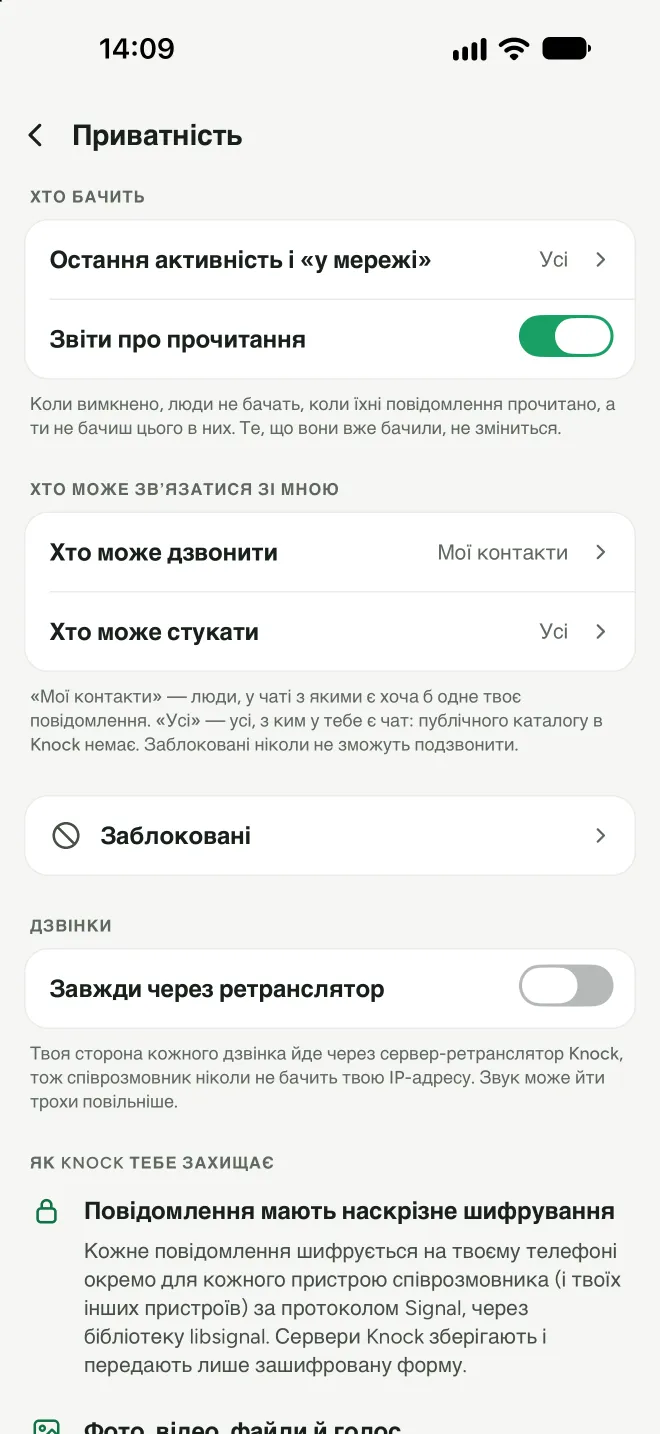
All of these are in You → Privacy.
App lock
Ask for Face ID, Touch ID, your fingerprint or your phone's passcode when Knock opens — immediately, or after 1, 15 or 60 minutes in the background.
It keeps Knock closed to someone holding your unlocked phone. It doesn't change the encryption, and messages and calls keep arriving while Knock is locked.
Last seen & online
Choose whether people you have a chat with see when you're online and when you were last seen. It works both ways: if you hide yours, you don't see anyone else's either.
Read receipts
When off, people don't see when you've read their messages — and you don't see theirs. What they saw before stays as it was.
Who can call and knock
Everyone you have a chat with, only your contacts (people you've written to), or nobody. Knock has no public directory, so "everyone" never means strangers.
Blocking
Block someone from their profile. A blocked person can't message, call or knock on you, and you stop seeing each other's online status, read receipts and typing. They aren't told. Unblock people in You → Privacy → Blocked people.